Direct problem: modeling pheromone propagation
[1]:
import numpy as np
import matplotlib.pyplot as plt
import matplotlib.ticker as ticker
from pathlib import Path
import os
import time

import pherosensor

from pheromone_dispersion.geom import MeshRect2D
from pheromone_dispersion.diffusion_tensor import DiffusionTensor
from pheromone_dispersion.velocity import Velocity
from pheromone_dispersion.source_term import Source
from pheromone_dispersion.convection_diffusion_2D import DiffusionConvectionReaction2DEquation

from utils.plot_env_param import plot_velocity_field, plot_diffusion_tensor
from utils.plot_colormap import plot_colormap, plot_colormap_all_timestep
from utils.generate_gif import generate_gif
[2]:
path = os.getcwd()
path_data = path + '/data'
path_output = path + '/output'
if not os.path.isdir(Path(path_output)):
    os.makedirs(Path(path_output))
path_plot = path_output + '/plot'
if not os.path.isdir(Path(path_plot)):
    os.makedirs(Path(path_plot))
This notebook aims at presenting the Partial Differential Equations (PDE) used to model the pheromone propagation in the atmosphere, the solvers implemented in the module pheromone_dispersion and the different submodules on which the solvers are based.
bibliography: ../paper/paper.bib
Pheromone propagation model
\[\begin{equation} \frac{\partial c}{\partial t}-\nabla\cdot(\mathbf{K}\nabla c)+\nabla\cdot(\vec{u}c)+\tau_{loss}c=s~\forall (x,y,t)\in\Omega\times[0;T] \end{equation}\]
source_localization presented in the notebook on pheromone emission inference and source
localization.The pheromone propagation model is closed by the following initial and boundary conditions:
a null initial condition \(c(x,y,t=0)=0~\forall (x,y)\in\Omega\),
a null diffusive flux \(\mathbf{K}\nabla c\cdot\vec{n}=0\) \(\forall (x,y)\in\partial\Omega\),
a null entering convective flux \(\vec{u}c\cdot\vec{n}=0\) \(\forall (x,y)\in\partial\Omega\cap \{(x,y)|\vec{u}(x,y,t)\cdot\vec{n}<0\}~\forall t\in]0;T]\) with \(\vec{n}\) the outgoing normal vector.
The pheromone propagation model is solved using implicit and semi-implicit upwind finite volume schemes implemented. More details can be found in the notebooks located in the folder ./test_numerical_scheme/ that introduce and test the numerial scheme, including convergence, and the solvers.
More details on this model and its derivation can be found in Malou et al (2024).
Construction of the solver of the pheromone propagation model
Specifying the geometry using the geom submodule
[3]:
Lx = 30 # the length along the x-axis
Ly = 40 # the length along the y-axis
Delta_x = 0.5 # the space step along the x-axis
Delta_y = 0.5 # the space step along the y-axis
T_final = 20 # the final time of the simulation
msh = MeshRect2D(Lx, Ly, Delta_x, Delta_y, T_final)
calc_dt_implicit_solver method of the MeshRect2D class.calc_dt_explicit_solver method of the MeshRect2D class to compute a time step that satisfies the CFL condition depending on the wind field (see below).[4]:
msh.calc_dt_implicit_solver(.1)
Specifying the wind velocity field using the velocity submodule
Velocity class of the velocity submodule. As the solvers are based on the finite volume method (see more details in this notebook), the velocity field should be given at both the vertical and horizontal interfaces of the cells of the mesh. One can provide
stationnary wind field. Otherwise, the time array should be specified and between two time points contained in this array, the wind field will be linearly interpolated.[5]:
U_vi = np.load(Path(path_data) / f'U_vi.npy')
U_hi = np.load(Path(path_data) / f'U_hi.npy')
U = Velocity(msh,U_vi, U_hi)
Velocity class also contains useful attributes and methods to manipulate the wind field. For instance, the attributes at_vertical_interface and at_horizontal_interface contain the velocity field at resp. the vertical and horizontal interfaces of the mesh’s cells at the current time, and the method at_current_time enables to update all the attributes at the time given as input of the method.plot_velocity_field method of the utils module.[6]:
plot_velocity_field(msh,U)
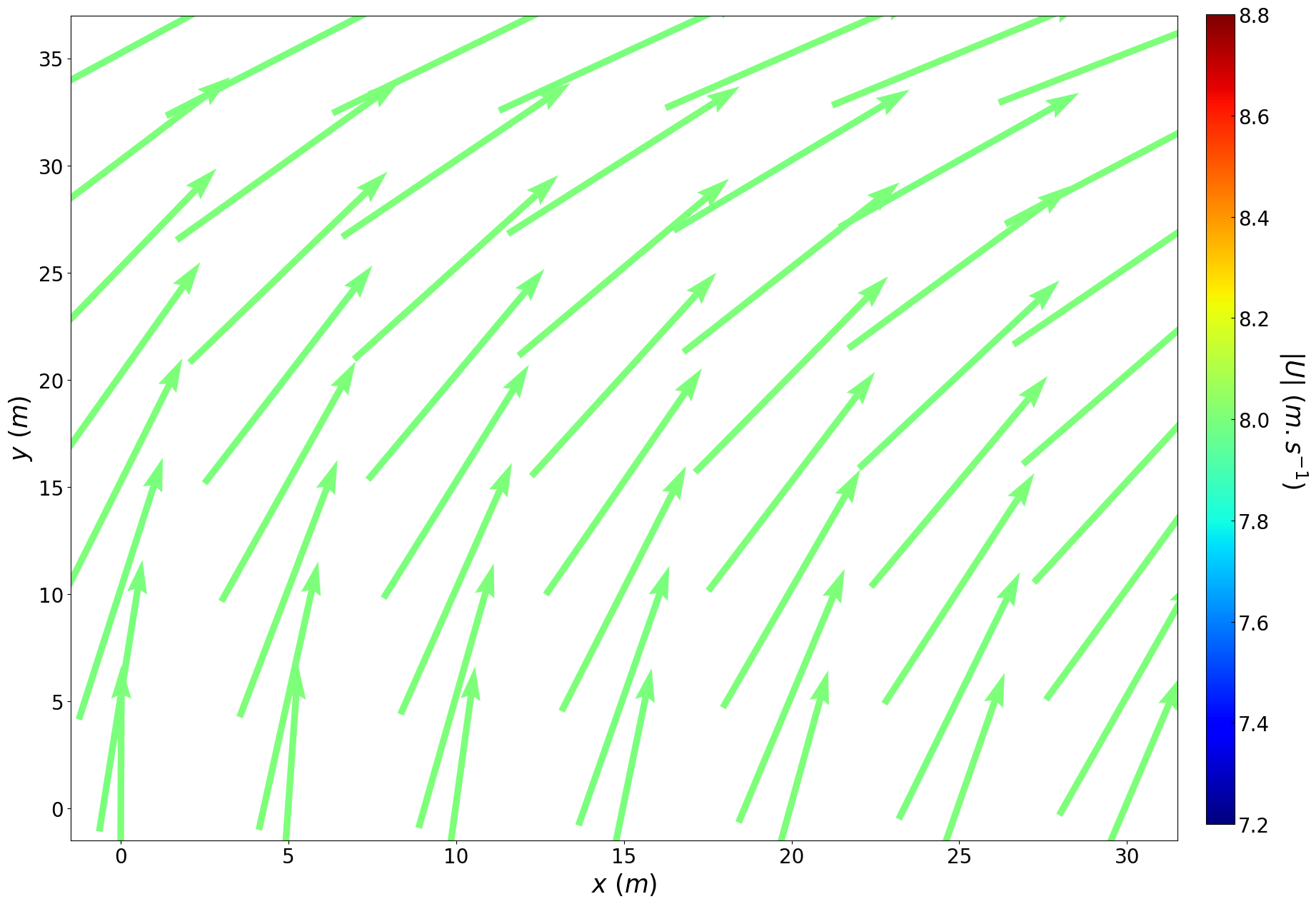
velocity submodule also containes a velocity_field_from_meteo_data method that can be used to generate an object of the Velocity class from meteorological data contained in a .csv file whose path and name are given as input.Specifying the diffusion tensor using the diffusion_tensor submodule
The diffusion tensor is here contained in an object of the DiffusionTensor class of the diffusion_tensor submodule.
Thus, the user should provide an object of the class velocity and the “in the wind direction” and the cross-wind diffusion coefficients to instanciate an object of the class diffusion_tensor.
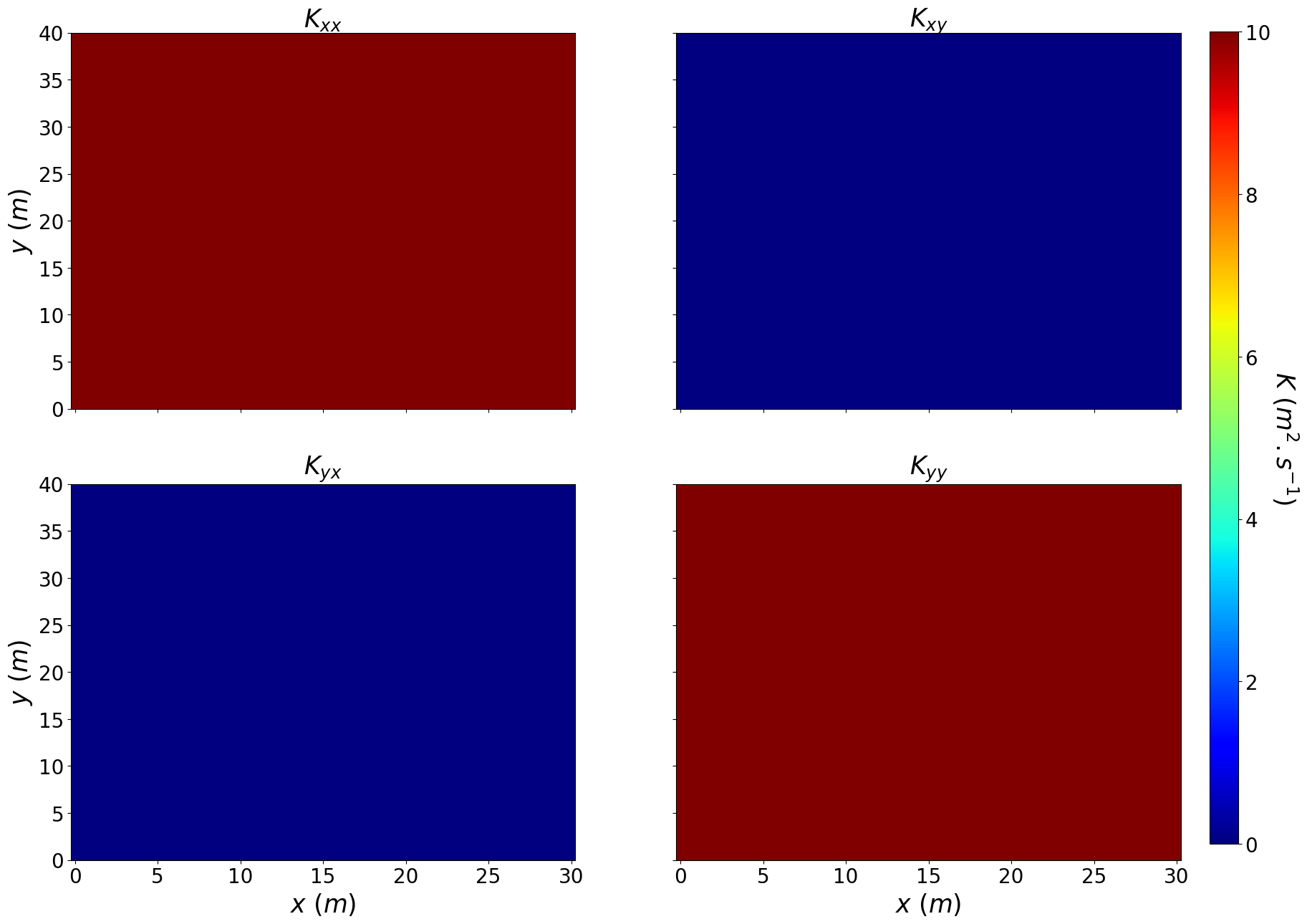
For now, the case of a non-diagonal \(\mathbf{K}\) has not been implemented. Therefore, we will take \(K_u=K_{u^\perp}\).
[7]:
K = DiffusionTensor(U, 10., 10.)
As the numerical scheme is a finite volume scheme (see more details in this notebook) and similarly to the class Velocity, the DiffusionTensor class contains the attributes at_vertical_interface and at_horizontal_interface contain the diffusion tensor at resp. the vertical and horizontal interfaces of the mesh’s cells at the current time, and the method at_current_time enables to update all the attributes at the time
given as input of the method.
Moreover, the user can plot the diffusion tensor maps at the current time using the plot_diffusion_tensor method of the module utils
[8]:
plot_diffusion_tensor(msh, K)
Specifying the loss coefficient
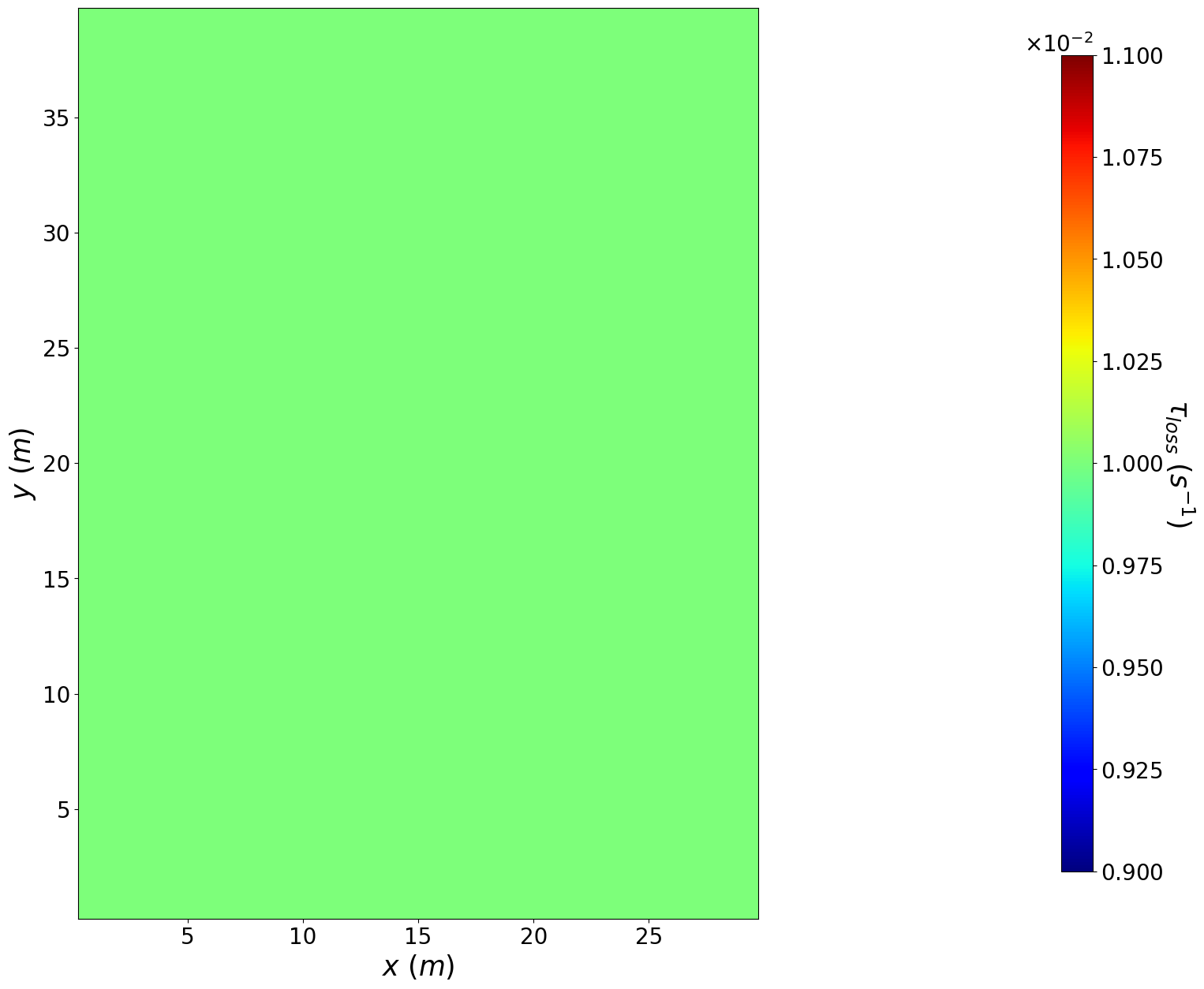
The loss coefficient is here simply contained in a array of shape (nb cell in y axis, nb cell in x axis) that is the average loss coefficient over a cell and that the user should provide.
[9]:
loss_coeff = 0.01*np.ones((msh.y.size, msh.x.size))
Moreover, the user can plot the loss coefficient map using the plot_colormap method of the module utils.
[10]:
plot_colormap(msh,loss_coeff,'\\tau_{loss}', 's^{-1}', cmap="jet")#, save_path=path_plot
deposition_coefficient contains the method deposition_coeff_from_land_occupation_data that return the loss coefficient map given a file containing land occupation data and a dictionnary containing the loss coefficient depending on the land
occupation.Specifying the pheromone emission using the source_term submodule
Source class contained in the source_term submodule.[11]:
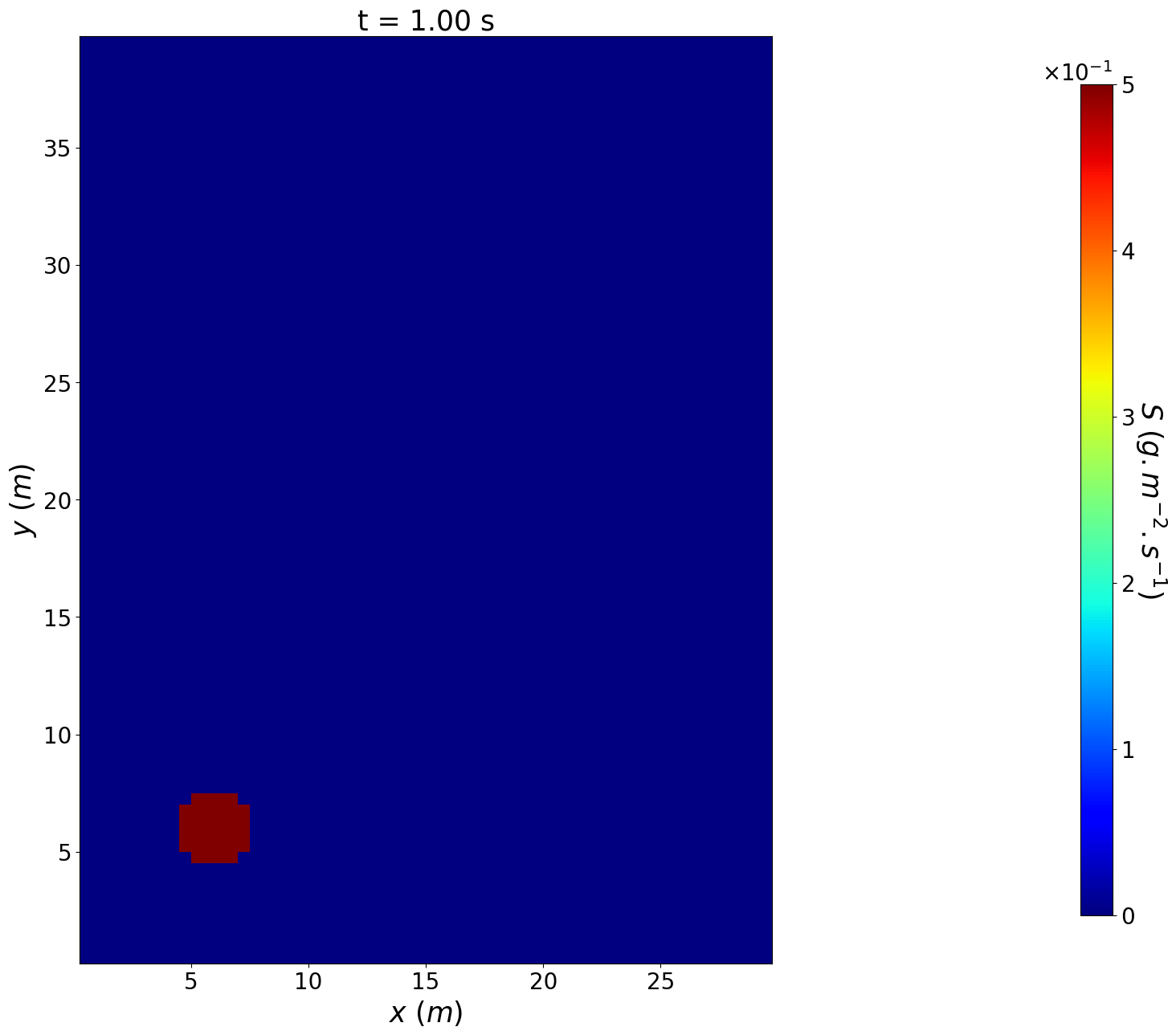
amp = 0.5
xc = 6.
yc = 6.
r = 1.5# 2 #
S_value = np.zeros((msh.t_array[::2].size, msh.y.size, msh.x.size))
xx, yy= np.meshgrid(msh.x, msh.y)
S_value[:, (xx-xc)**2 + (yy-yc)**2 < r**2] = amp

S = Source(msh, S_value, t=msh.t_array[::2])
Moreover, the user can plot the source term at a given time using the plot_colormap method of the module utils.
[12]:
t_on = 1.
S.at_current_time(t_on)
plot_colormap(msh,S.value,'S', 'g.m^{-2}.s^{-1}', cmap="jet",title=f't = {"{:.2f}".format(t_on)} s')
As for the class Velocity and the class DiffusionTensor, the class Source contains the method at_current_time that enables to update all the attributes at the time given as input of the method.
Specifying the pheromone propagation model and its solver using the convection_diffusion_2D submodule
DiffusionConvectionReaction2DEquation of the convection_diffusion_2D submodule.[13]:
solver = 'implicit with stationnary matrix inversion'
tol = 1e-10
EDP = DiffusionConvectionReaction2DEquation(
    U,
    K,
    loss_coeff,
    S,
    msh,
    tol_inversion=tol,
    time_discretization=solver
)
Multiple solver types have been implemented in the class DiffusionConvectionReaction2DEquation and the associated keyword can be found in the attribute implemented_solver_type.
[14]:
print(EDP.implemented_solver_type)
['implicit', 'semi-implicit', 'semi-implicit with matrix inversion', 'implicit with stationnary matrix inversion']
With the implicit and semi-implicit time discretization, the resolution of the linear system at each time step are based on resp. a GMRES algorithm and a conjugate gradient algorithm.
init_inverse_matrix of the class DiffusionConvectionReaction2DEquation. With this method, the user specifies the path and name of the file containing the inverse matrix. If the inverse matrices have already been computed and stored in the specified file, then the method load the matrices. If the inverse matrices are not found in the folder, then the method computes and store them once and for all.implicit with stationnary matrix inversion and is used in this test case.[15]:
fname = 'inv_matrix_implicit_solver'
EDP.init_inverse_matrix(path_to_matrix=path_data, matrix_file_name=fname)
=== Computation of the inverse of the matrix of the implicit part of the implicit with stationnary matrix inversion scheme ===
--- Computation at time t=  0 in  11.089861392974854  s
Solving the PDE to model the pheromone propagation and plot the pheromone concentration
solver method.[16]:
if not (Path(path_output) / 'c_save.npy').exists():
    t_0 = time.time()
    store_rate = 10
    t_output, c_output = EDP.solver(save_flag=True, path_save=path_output, store_rate=store_rate)
    t_f = time.time()
    print("")
    print("--- resolution of the direct model in %s seconds ---" % (t_f - t_0) )
else:
    print("--- the resolution has already been performed ---")
    c_output = np.load(Path(path_output) / f'c_save.npy')
    t_output = np.load(Path(path_output) / f't_save.npy')
t = 20.000 / 20.000 s
--- resolution of the direct model in 3.335312843322754 seconds ---
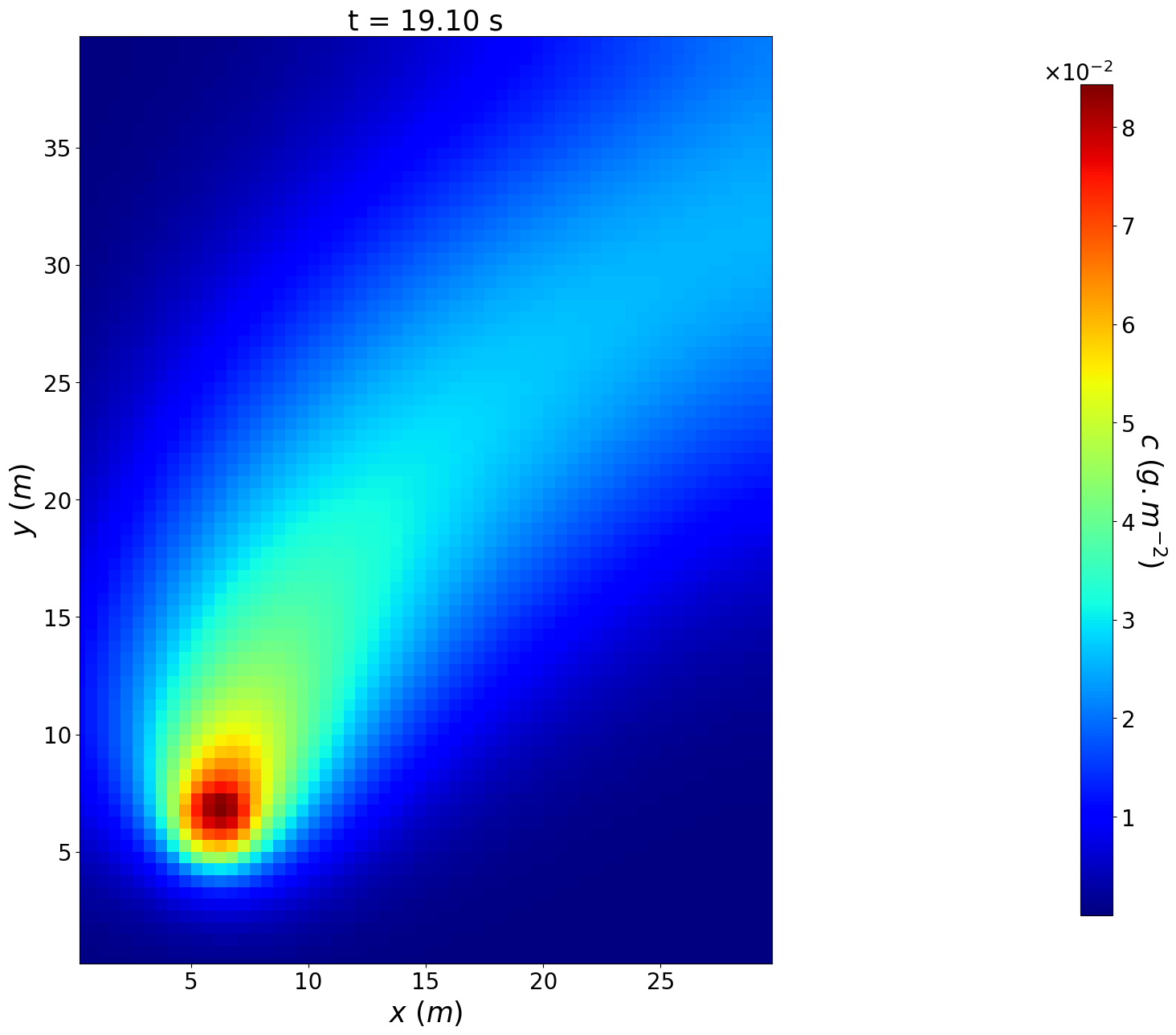
The resulting pheromone concentration map can easily be plotted at a given time using the plot_colormap method of the module utils.
[17]:
t_plot = 20.
i = np.argmin(np.abs(t_output-t_plot))
plot_colormap(msh,c_output[i,:,:],'c', 'g.m^{-2}', cmap="jet",title=f't = {"{:.2f}".format(t_output[i])} s')#, save_path=path_plot
[18]:
n_col = 5
n_ligne = t_output.size//n_col

fontsize=25
xv, yv = np.meshgrid(msh.x, msh.y, sparse=True, indexing="ij")
vmin = np.min(c_output)
vmax = np.max(c_output)
fig, axs = plt.subplots(n_ligne,n_col,figsize=(20,15), sharex=True, sharey=True)

for i, t in enumerate(t_output):

    l = i//n_col
    c = i%n_col
    title = f'at t = {"{:.1f}".format(t)} s'
    fmt = ticker.LogFormatterMathtext()
    fmt.create_dummy_axis()
    levels = [10**(i) for i in [-4,-3,-2,-1,0]]
    c_plot = c_output[i,:,:]
    contour = axs[l,c].contour(msh.x-np.min(msh.x), msh.y-np.min(msh.y), c_plot, linestyles='dashed', levels=levels, linewidths=2)
    axs[l,c].clabel(contour, inline=True, fontsize=10, fmt=fmt)
    pcmesh = axs[l,c].pcolormesh(xv[:, 0]-np.min(msh.x), yv[0, :]-np.min(msh.y), c_plot, cmap='jet', vmin=vmin, vmax=vmax)
    axs[l,c].set_aspect('equal', adjustable='box')
    axs[l,c].set_title(title, fontsize=fontsize - 5)
    axs[l,c].set_xticks([0,20,40])
    axs[l,c].set_yticks([0,20,40,60])
    axs[l,c].tick_params(labelsize=fontsize - 5)
    axs[l,c].set_xlim(0.,np.max(msh.x)-np.min(msh.x))
    axs[l,c].set_ylim(0.,np.max(msh.y)-np.min(msh.y))

fig.supxlabel('$x$ ($m$)', fontsize=fontsize)
fig.supylabel('$y$ ($m$)', fontsize=fontsize, x=0.08, y=0.5)
cbar_ax = fig.add_axes([0.91, 0.117, 0.015, 0.755])
cbar = fig.colorbar(pcmesh, cax=cbar_ax)
cbar_ax.tick_params(labelsize=fontsize - 5)
cbar.set_label('$c$ ($pg.m^{-2}$)', rotation=270, fontsize=fontsize, labelpad=40)
plt.show()
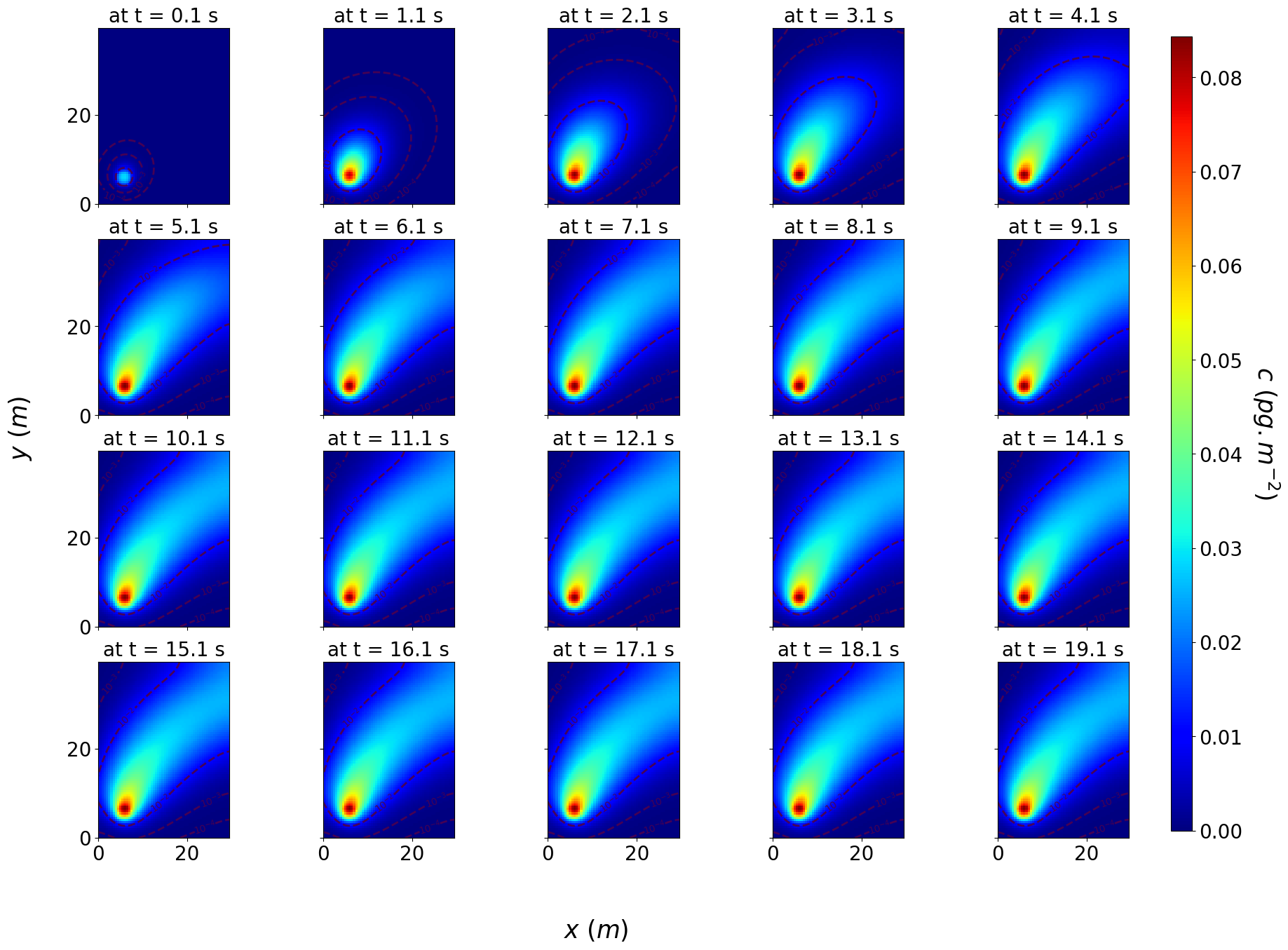
One can also plot multiple time step using the plot_colormap_all_timestep method and generate a gif using these plots and the method generate_gif of the module utils.
[19]:
path_plot_all_timestep = path_plot + '/plot_all_timestep'
if not os.path.isdir(Path(path_plot_all_timestep)):
    os.makedirs(Path(path_plot_all_timestep))
plot_colormap_all_timestep(msh,t_output,c_output,'c', 'g.m^{-2}', cmap="jet", save_path=path_plot_all_timestep)
ite = 20 / 20
[20]:
generate_gif(images_path=path_plot_all_timestep, save_path=path_plot, file_name='output_pheromone_propagation')
100% : saving the gifg